


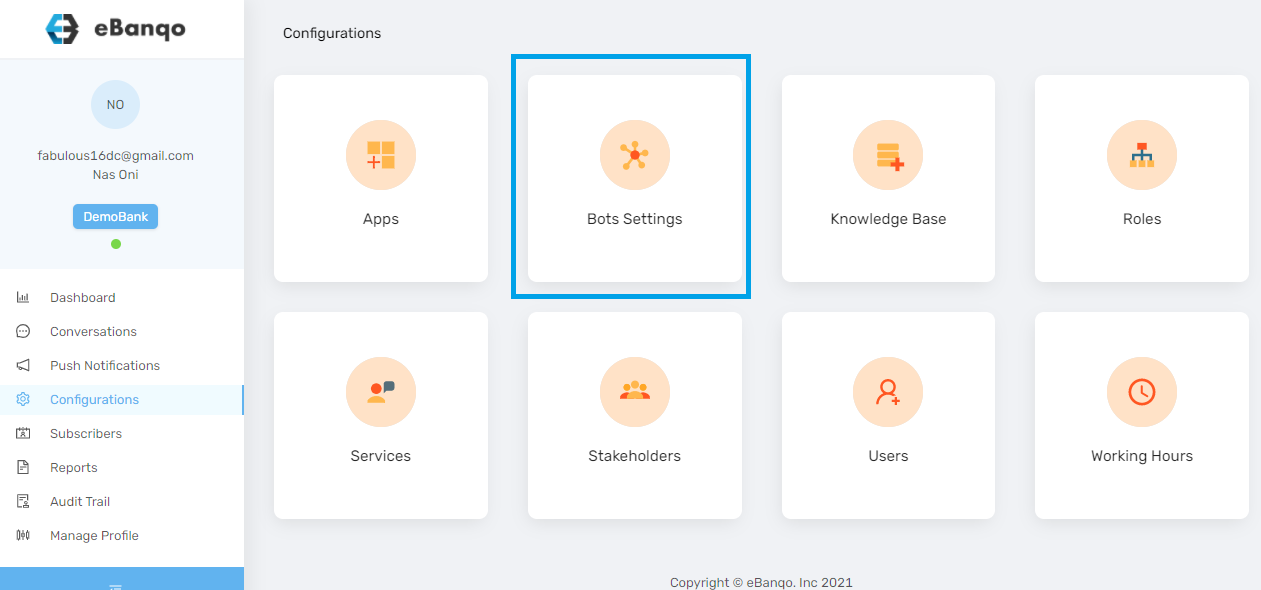
To enable or disable your support queue email notification, log in to your account and click on Configurations > Bot Settings.
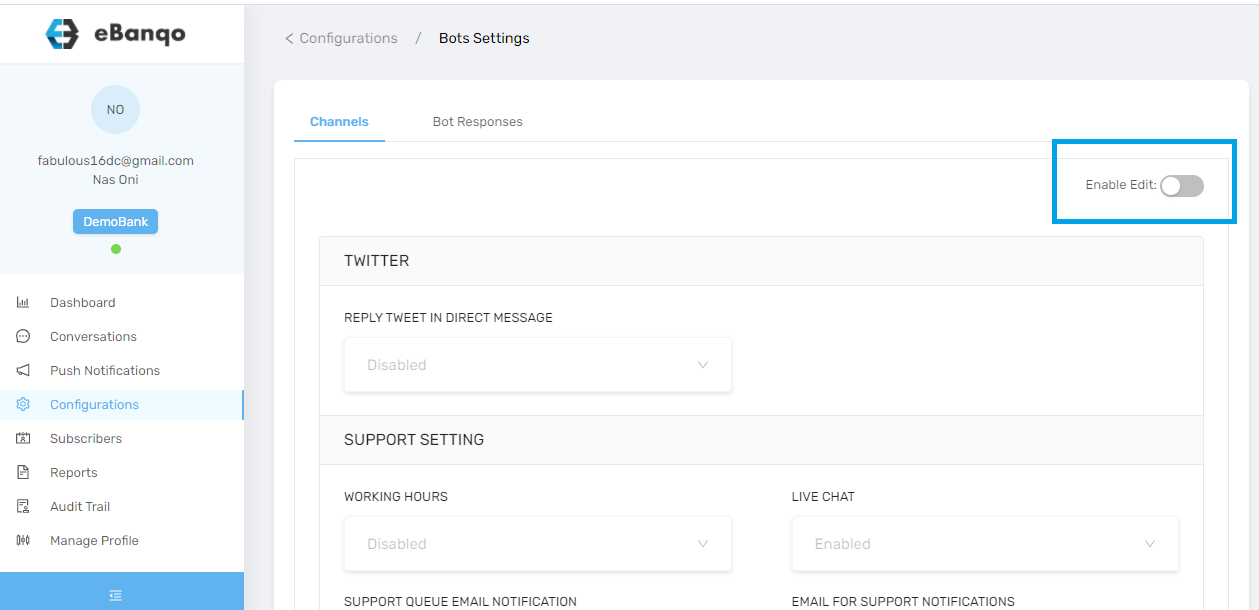
If editing is not enabled, click on the Enable Edits button. This allows you to make changes to the support settings.
Click on Support Queue Email Notification.
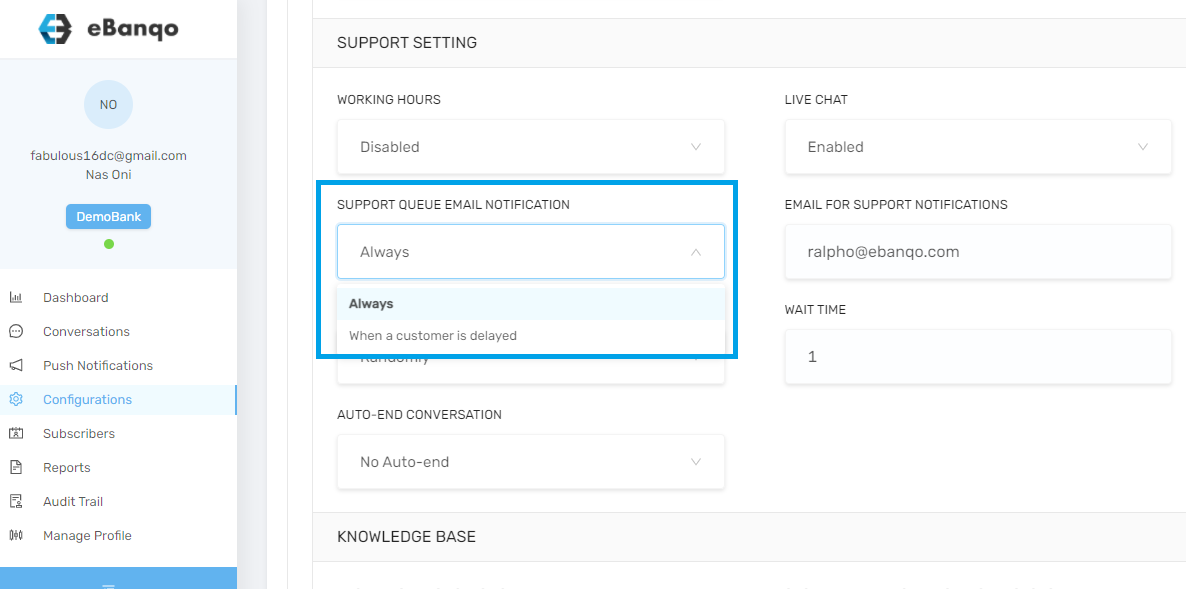
From the drop-down menu, choose your preferred option.
Click Always if you want to receive a notification once someone joins the queue.
Select Only when the customer is delayed if you want to receive an email only when the customer has been on the queue for a while.
Your changes are automatically saved.