


There will be instances where customers find the answer your chatbot provided unsatisfactory. This is called a failed response. When this happens, the platform logs it so you can review it later and add it to your knowledge base or as a service.
When you add a failed response as a service, you’re essentially telling the platform to trigger one of the services offered on your bot whenever a particular phrase is typed.
Follow these steps to add a failed response to your knowledge base or as a service.
1. Go to Conversations > Failed Responses
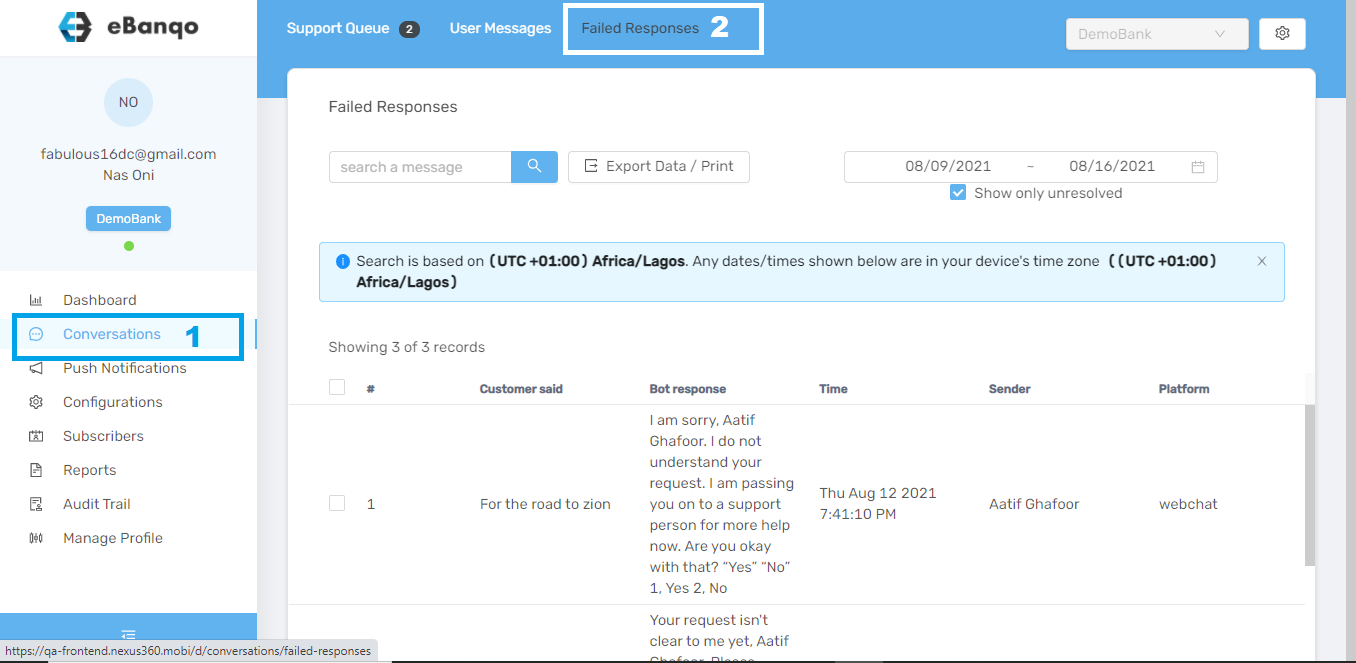
2. Go to the failed response you want to add either to your knowledge base or to a service.
To add to the knowledge base
a. Use the scroll bar at the bottom of your screen and scroll to your preferred question.
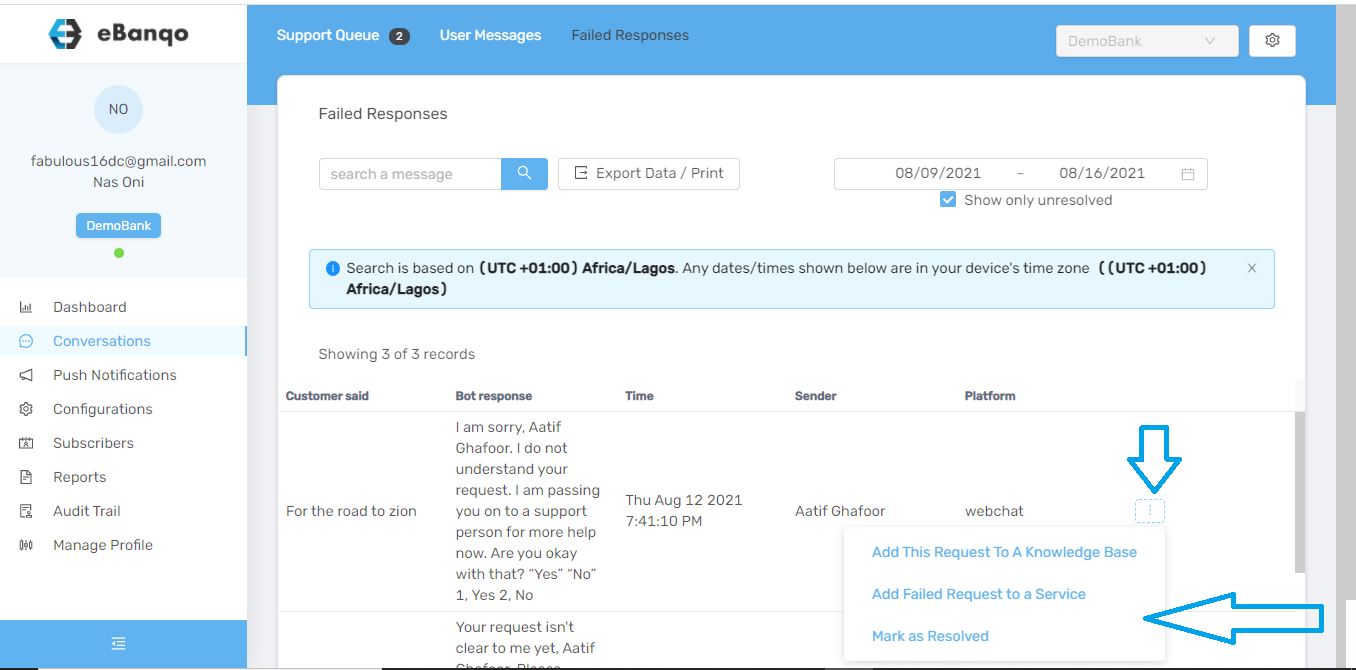
b. Click Add this request to a knowledge base.
c. A modal appears.
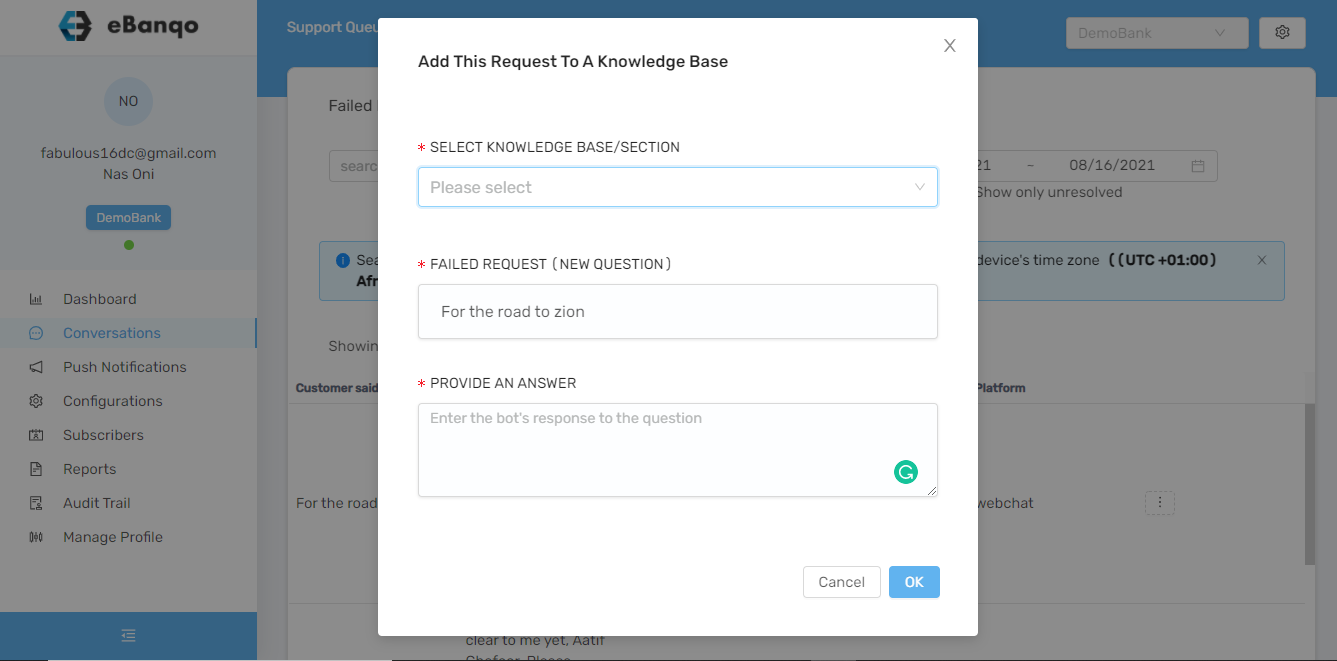
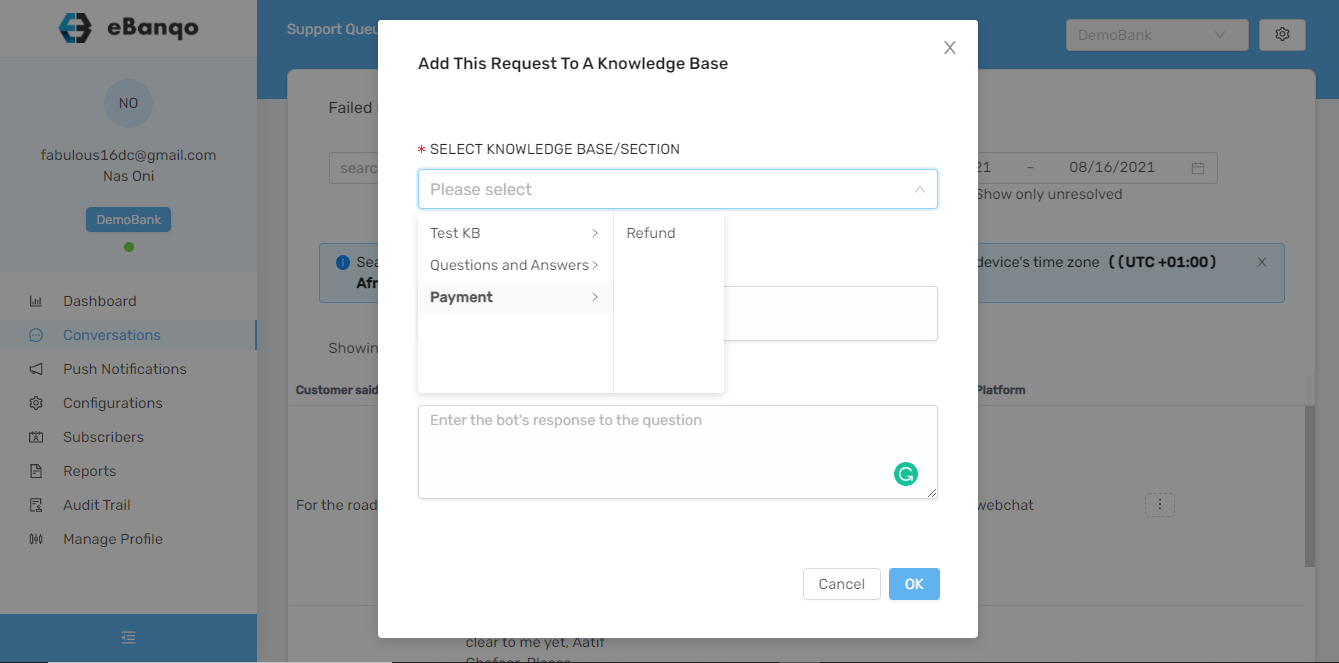
d. Click Select Knowledge Base / Section. A dropdown containing all your knowledge bases and sections appears.
Use the arrow beside each knowledge base to add the question to a specific knowledge base section.
e. In the next section, you can edit the existing question and also type in your answer.
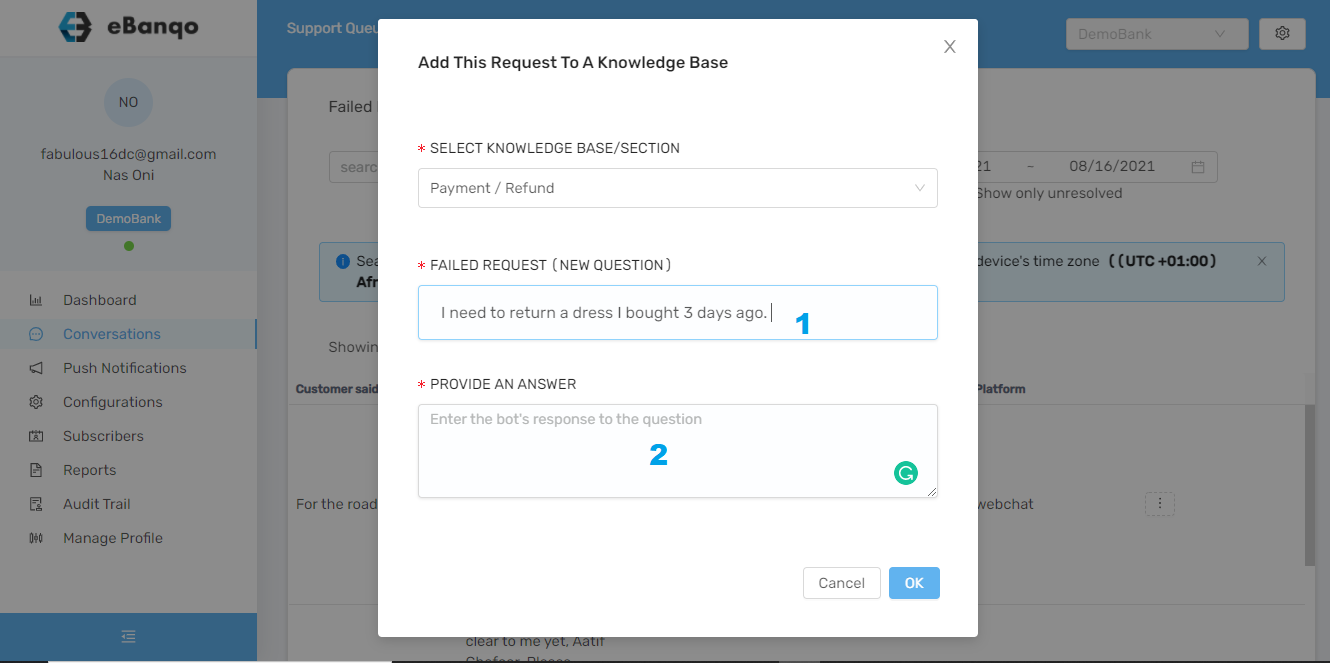
f. Click OK.
To add to a service
a. Select Add failed response to a service.
b. A modal appears.
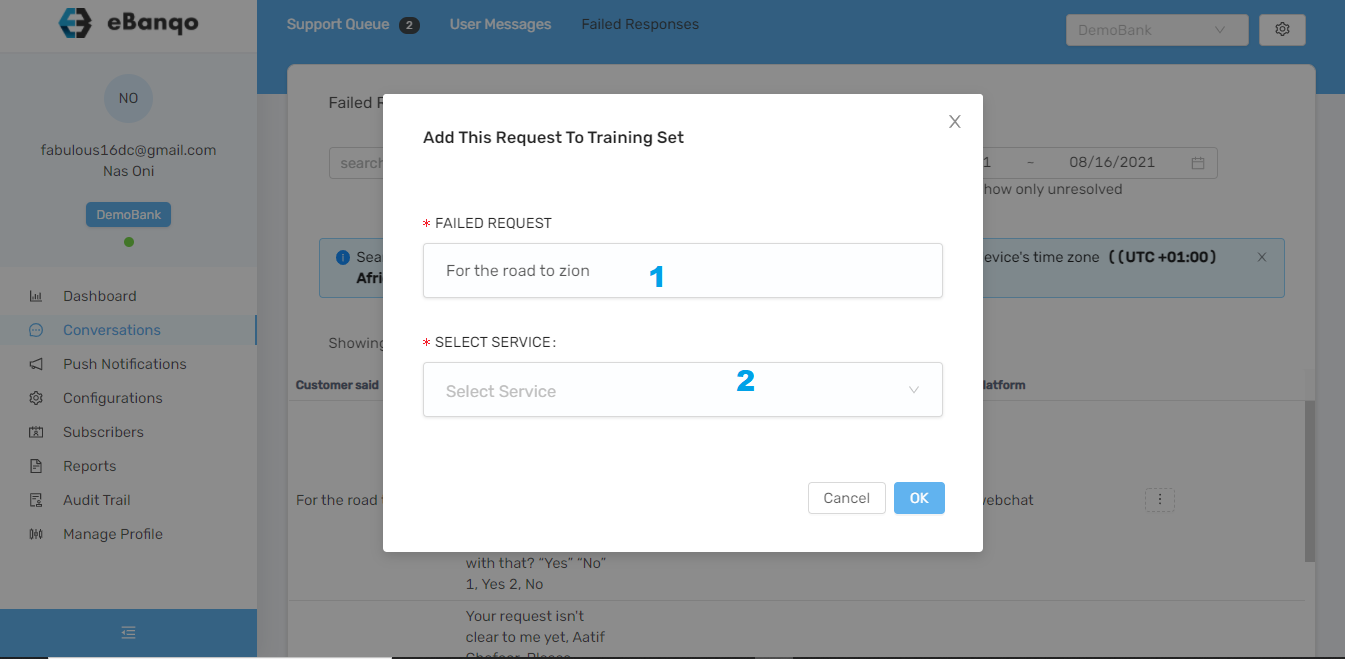
1. You can edit the customer’s question if needed.
2. Select the service you want the chatbot to trigger whenever customers type this phrase.
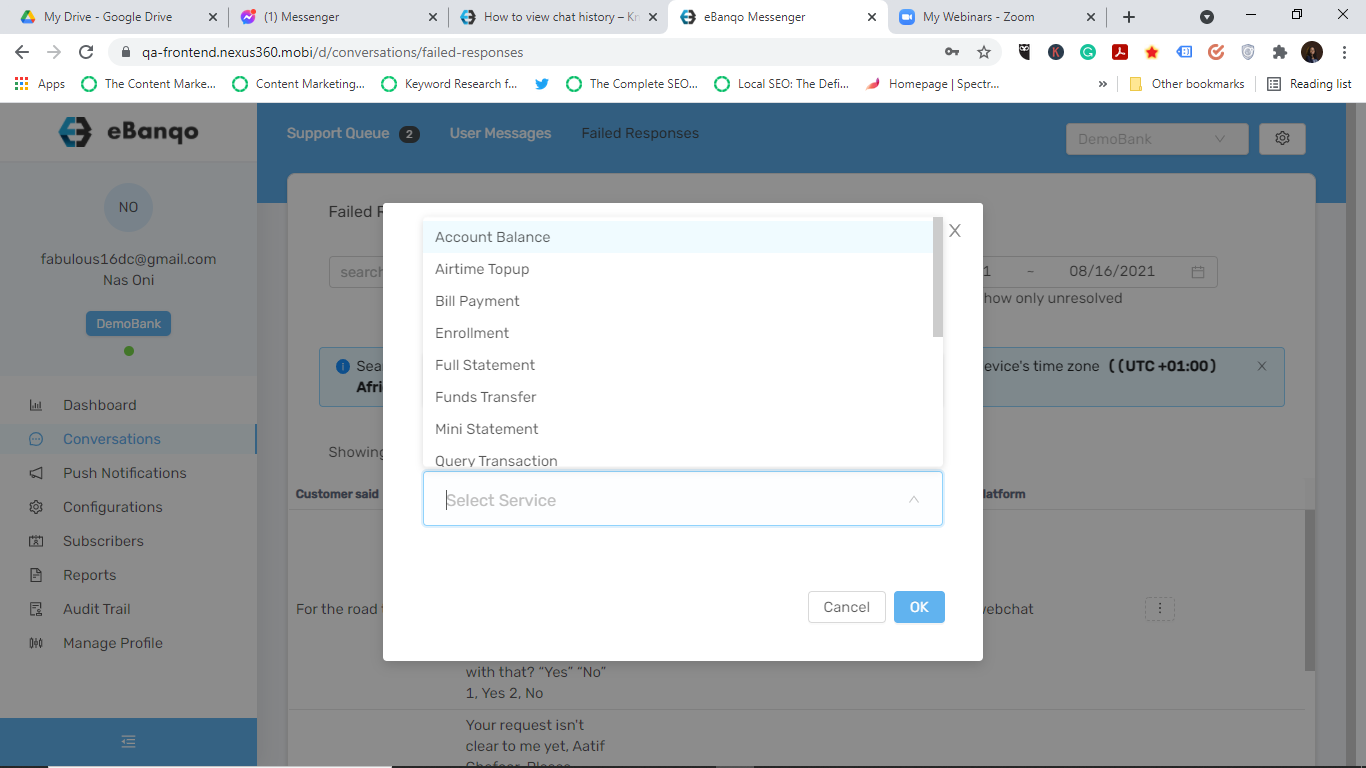
Afterwards, click OK.