


How to chat with customers on the queue
1. To chat with a customer on the queue, go to Conversations > Support Queue.
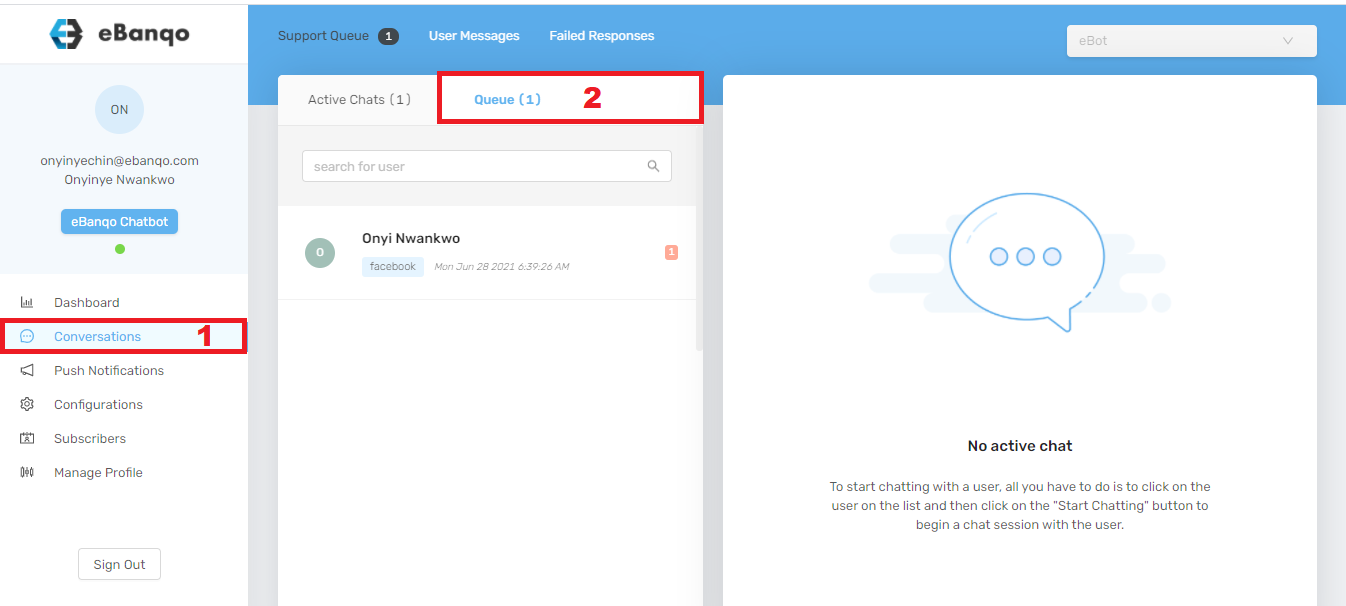
2. Select a customer on the queue to start a chat. A tab containing the customer’s chat history will open on the right side.
On the bottom-right corner, click Start chatting with <customer’s name>.
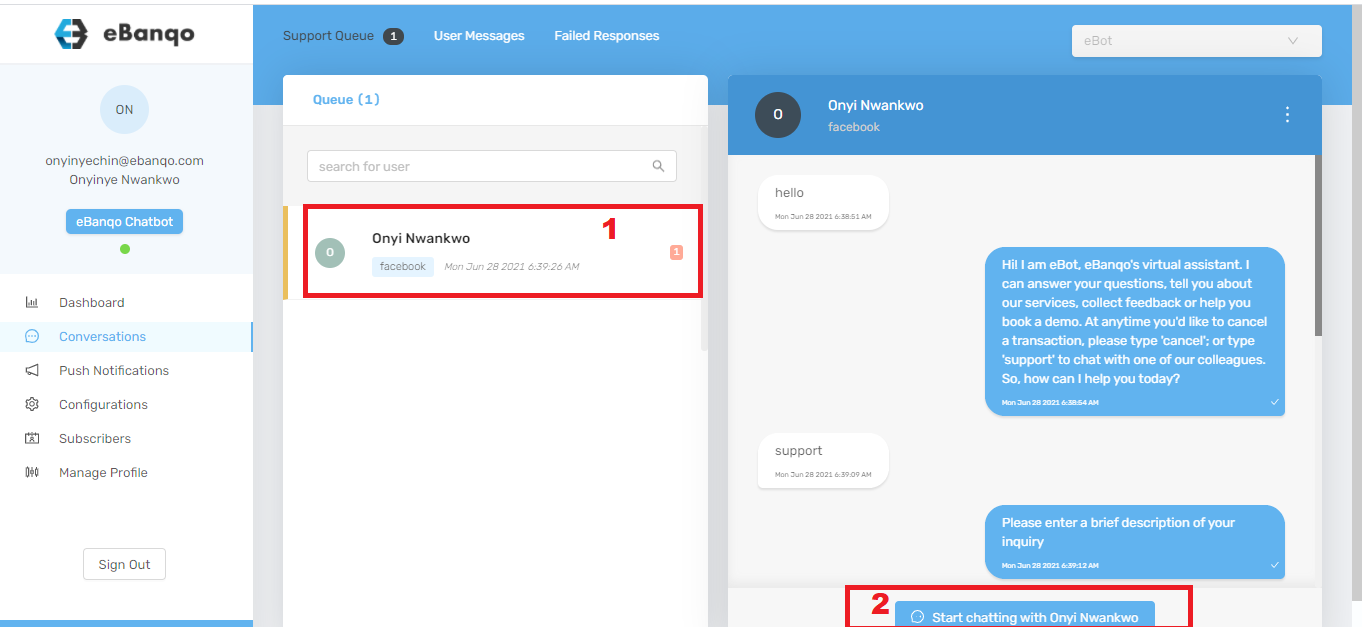
3. Click Start chatting with Onyi Nwankwo. A confirmation modal appears.
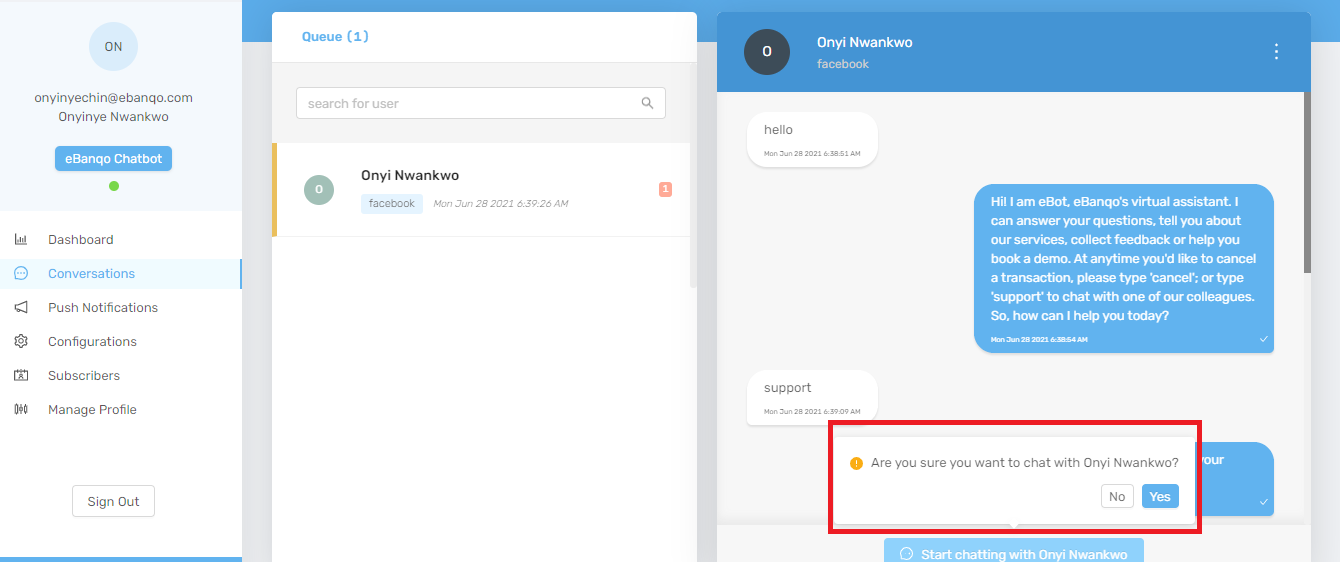
4. Click Yes to begin the conversation with the customer.
How to reassign a customer on the queue
You may reassign a customer to another agent if you believe another agent is better equipped to handle the inquiry.
1. Select the customer from the queue.
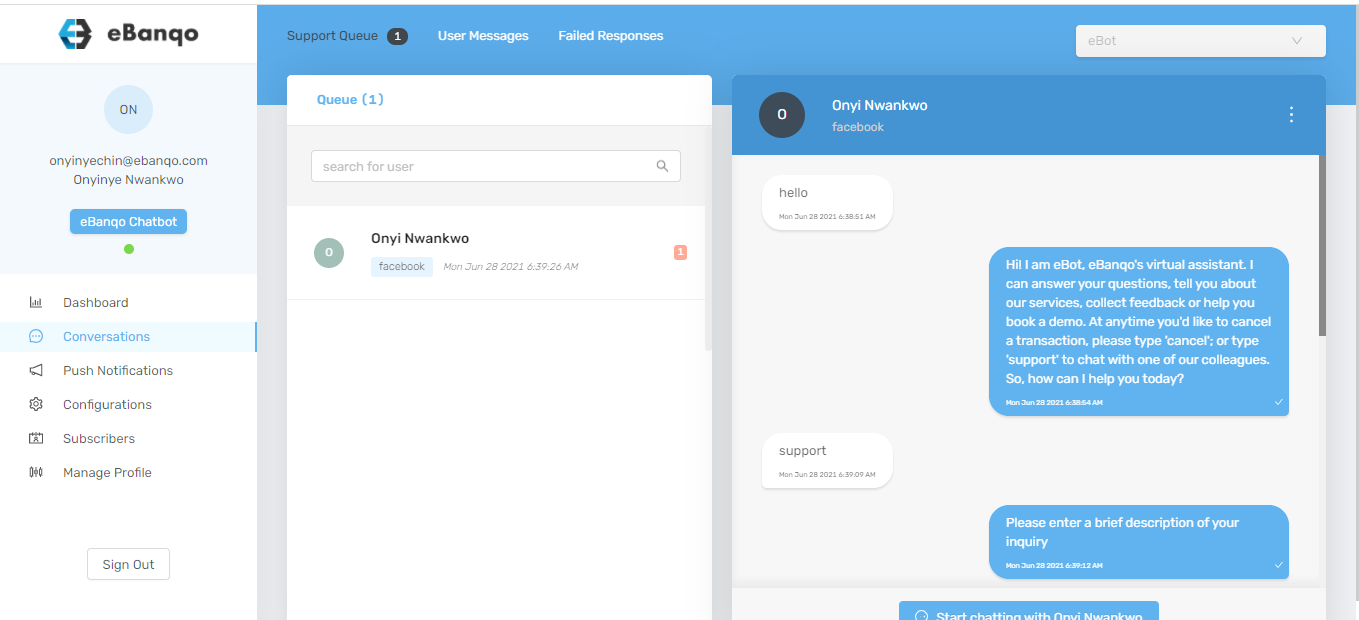
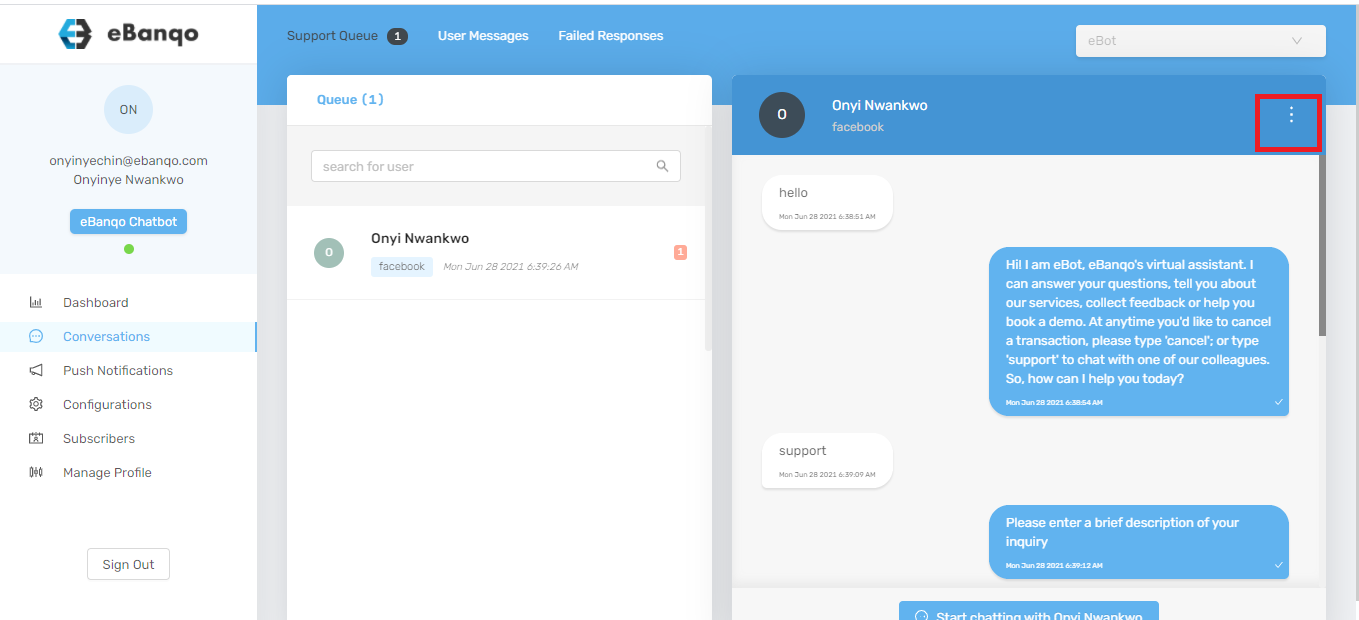
2. Click the three dots at the top-right corner of the screen.
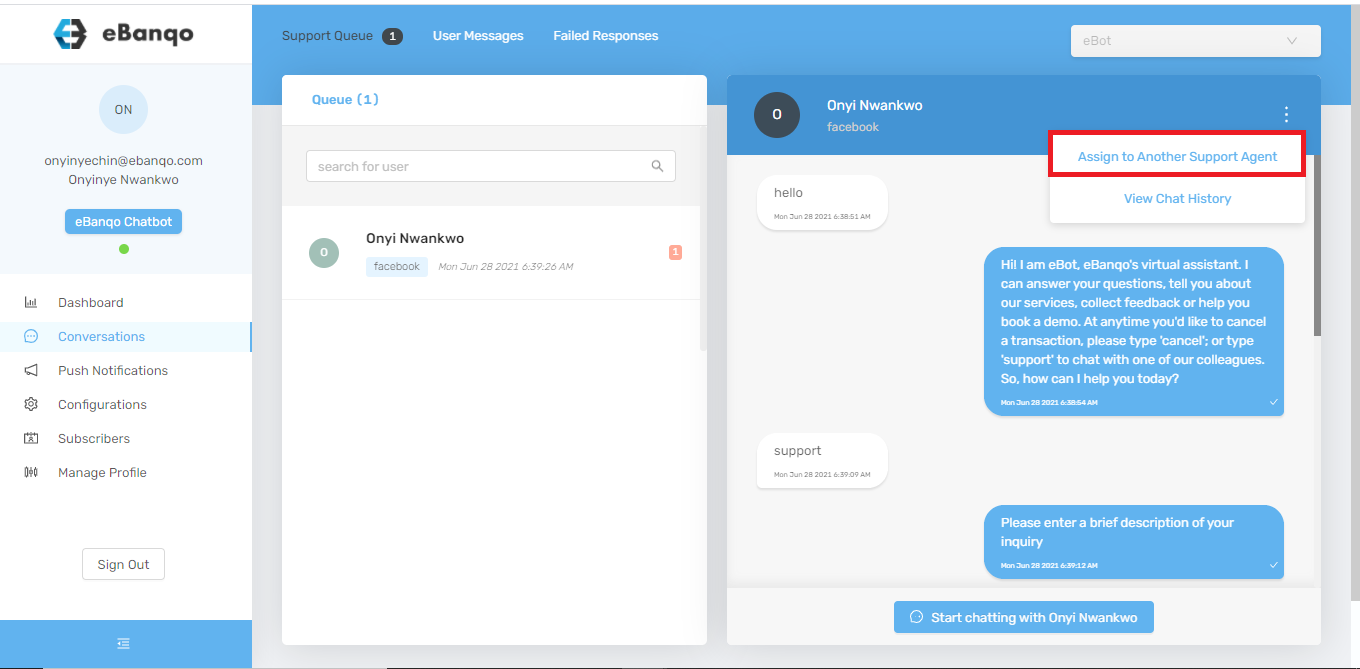
3. Select Assign to another support agent.
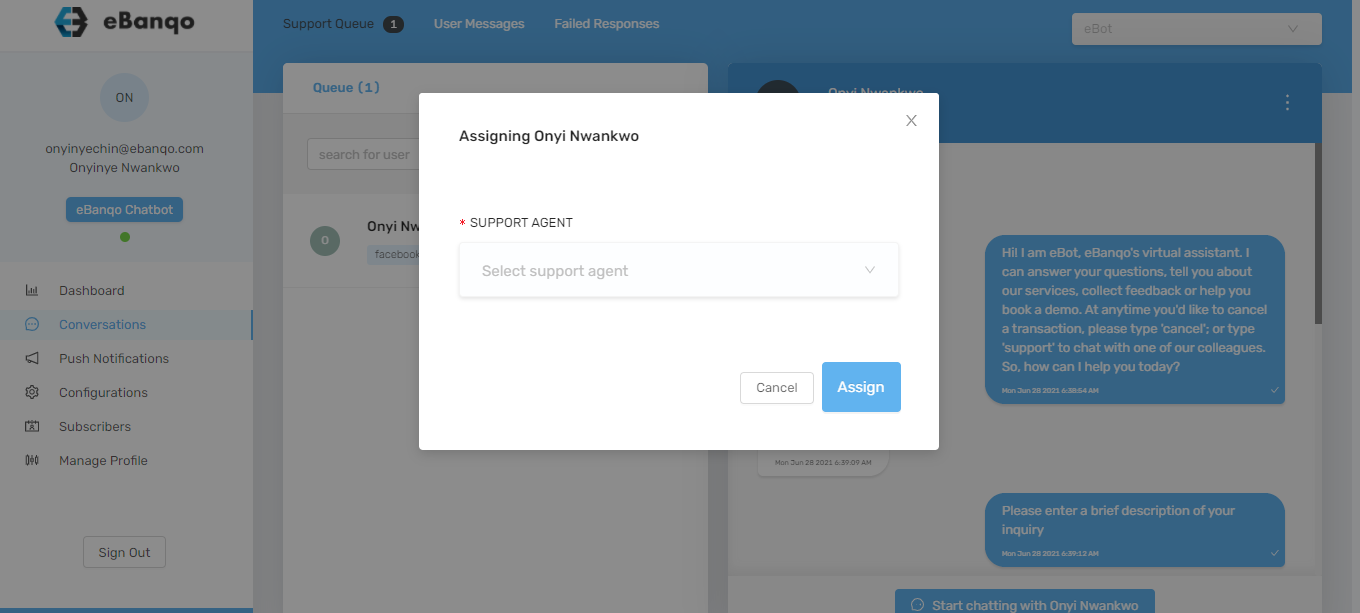
4. A modal appears. Select the preferred agent from the dropdown list or type the agent’s name. Then click Assign.
How to end a conversation or chat
Ending a chat closes the open conversation tab. This may happen when the customer’s issue has been resolved or the customer stops responding.
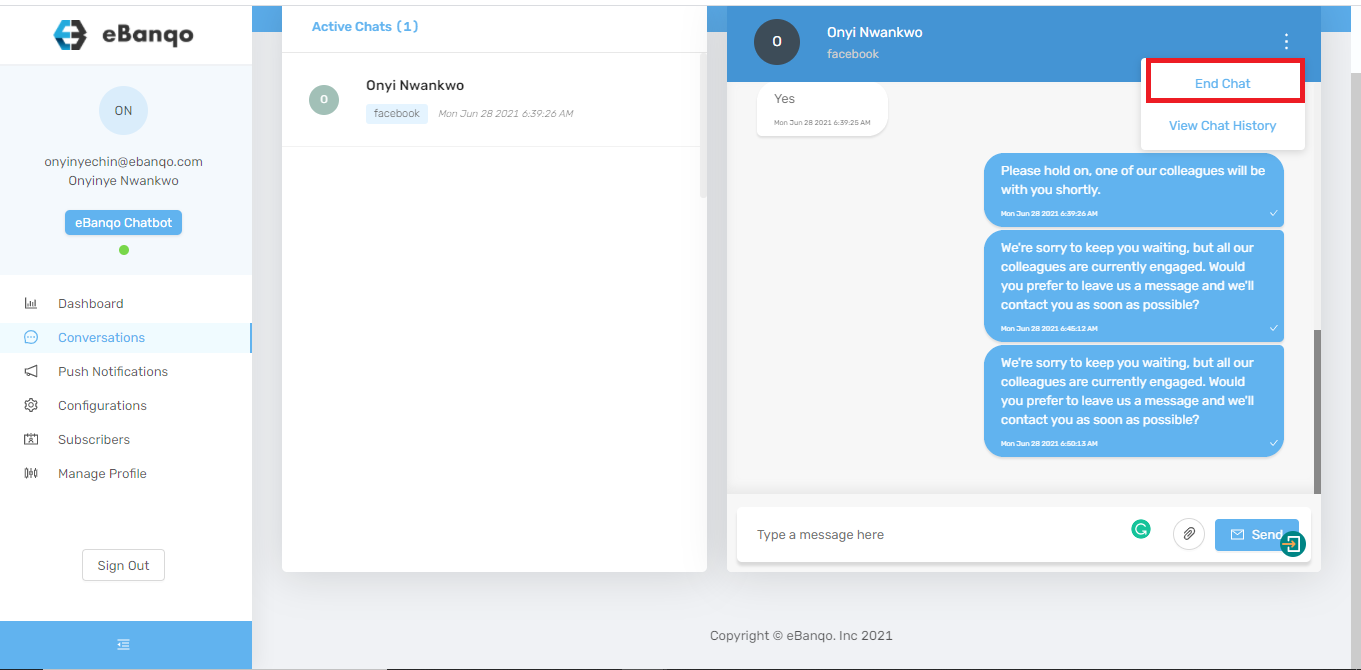
1. Click the three dots at the top-right corner.
2. A modal appears. Select a reason for ending the chat from the dropdown menu.
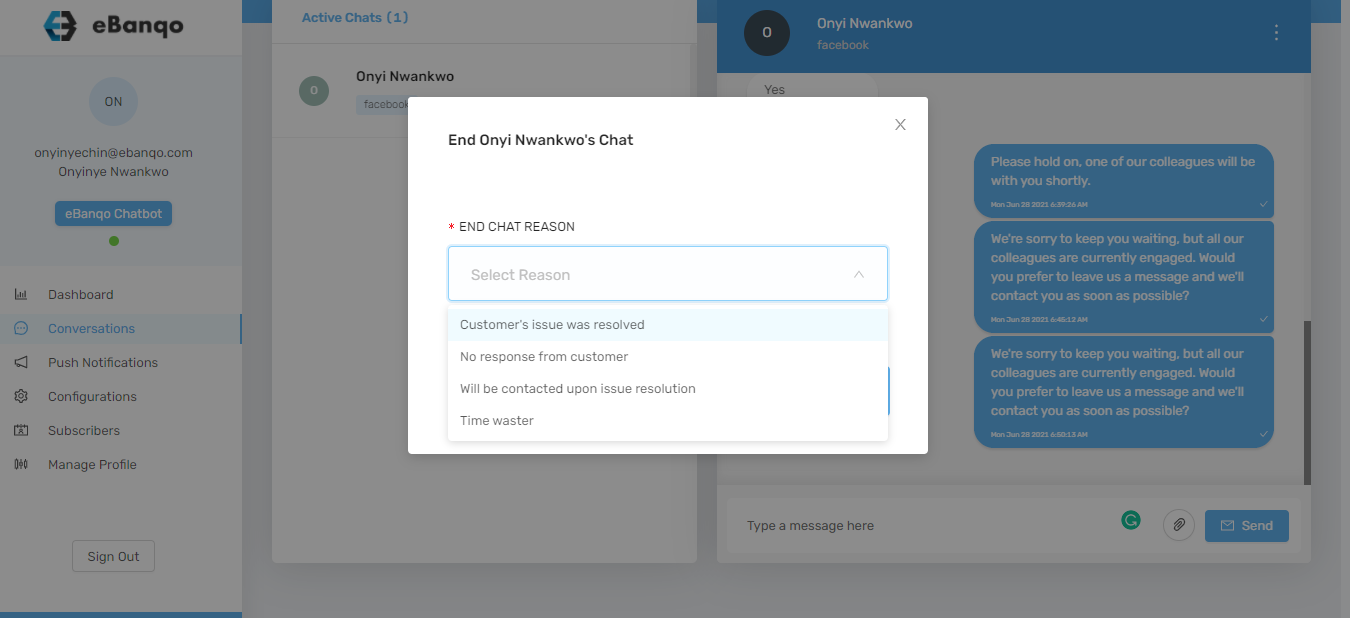
3. Click End Chat.