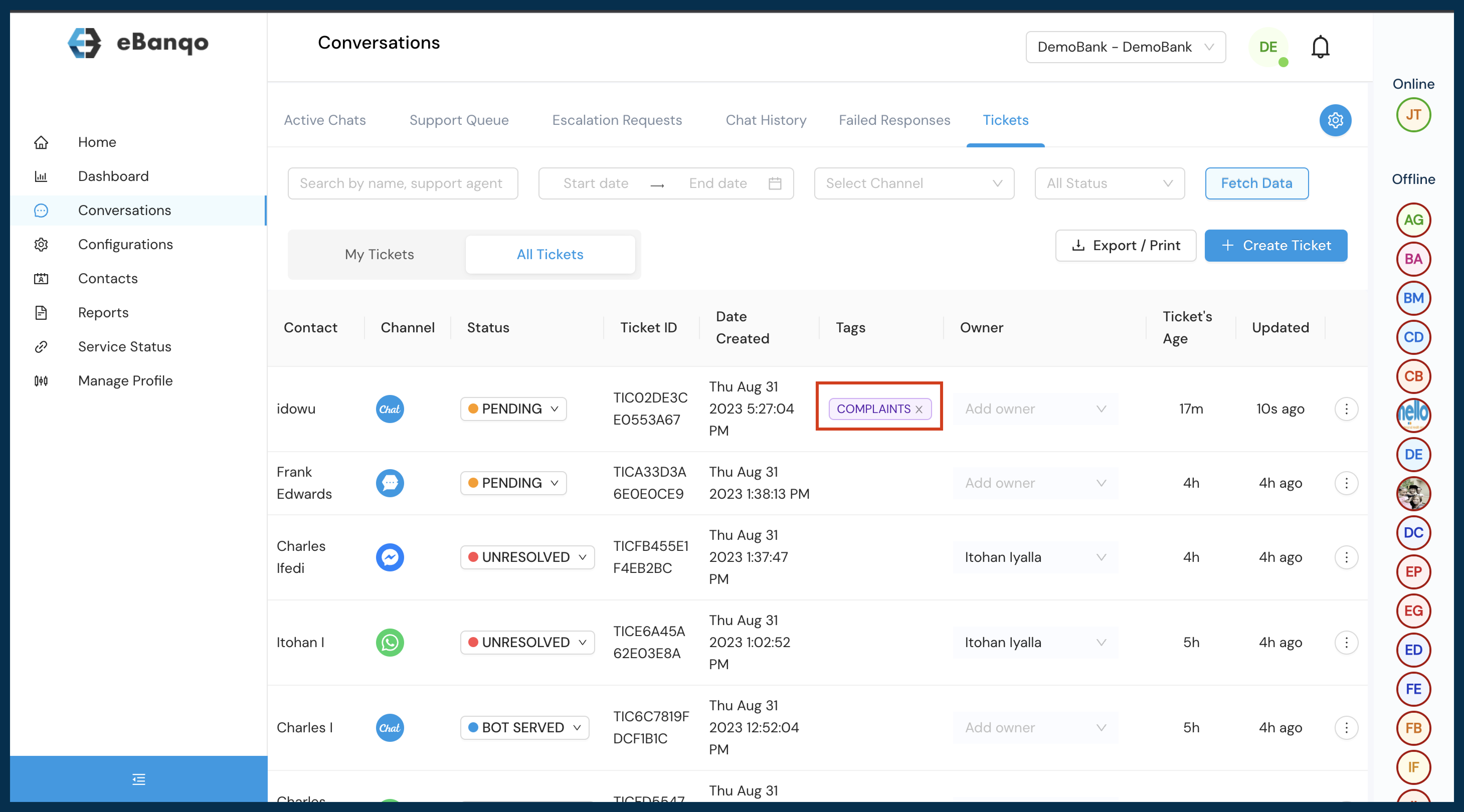


How to Create Tags
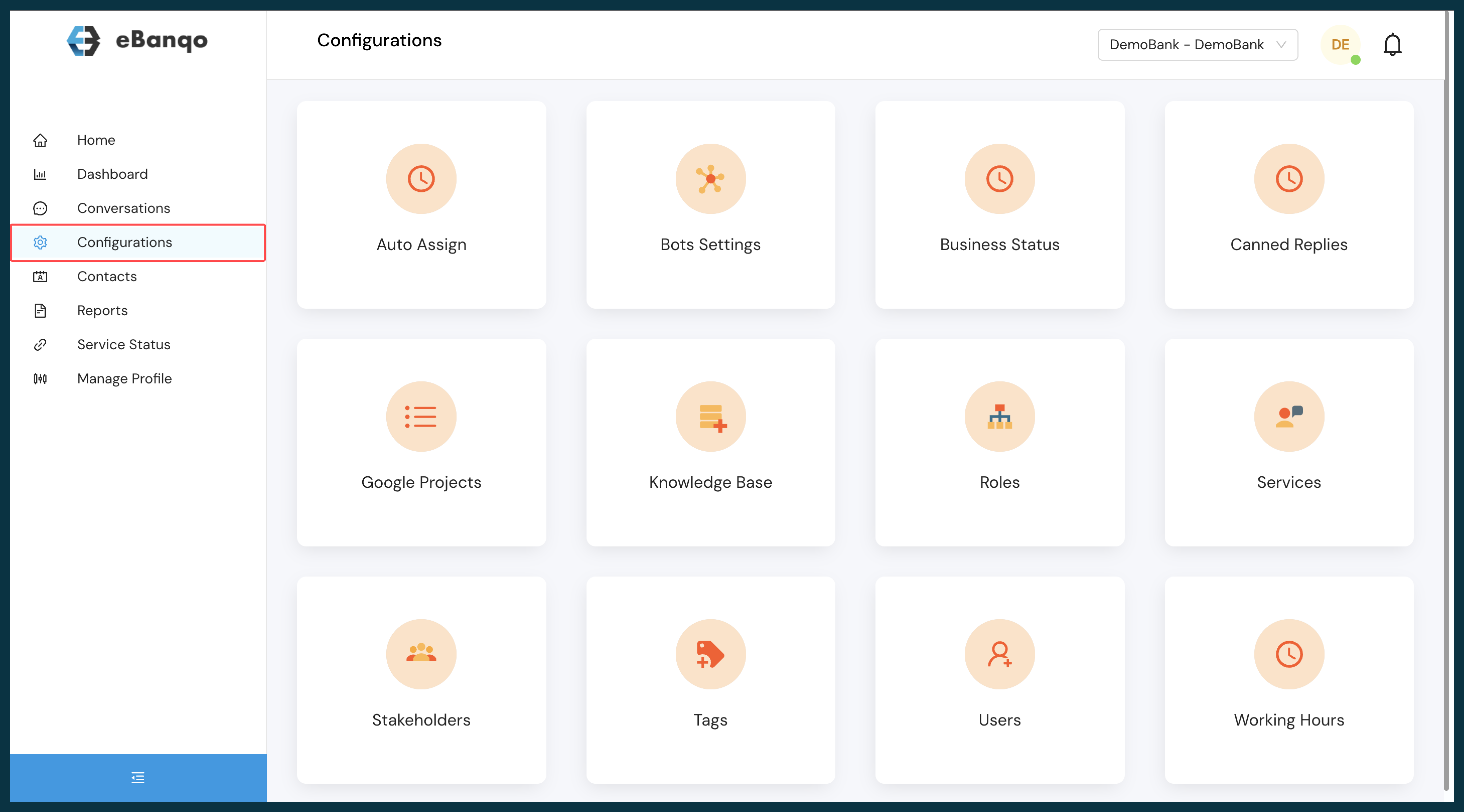
- Login to ebanqo.io and go to Configurations on the menu bar.
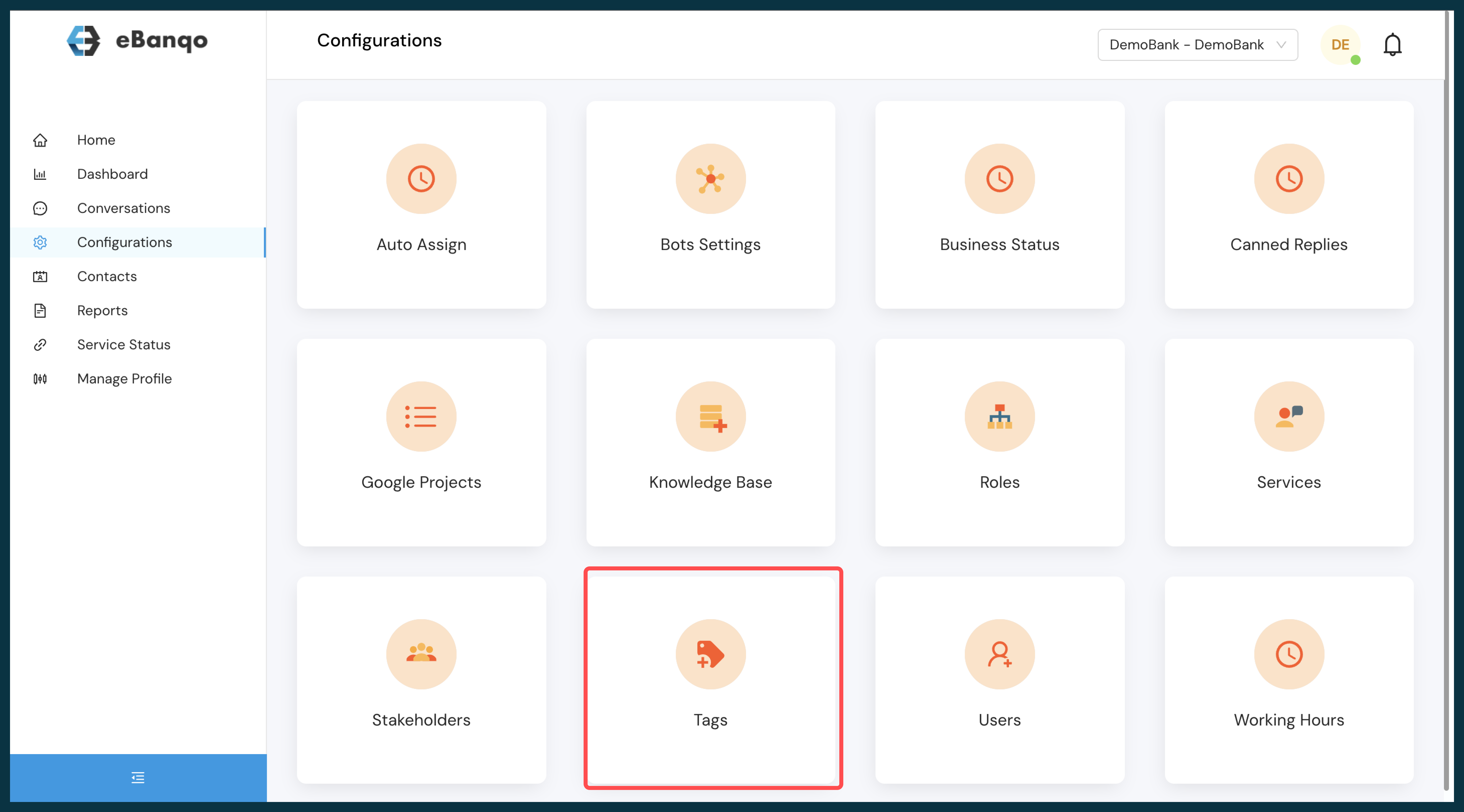
- Select Tags from the list of available apps.
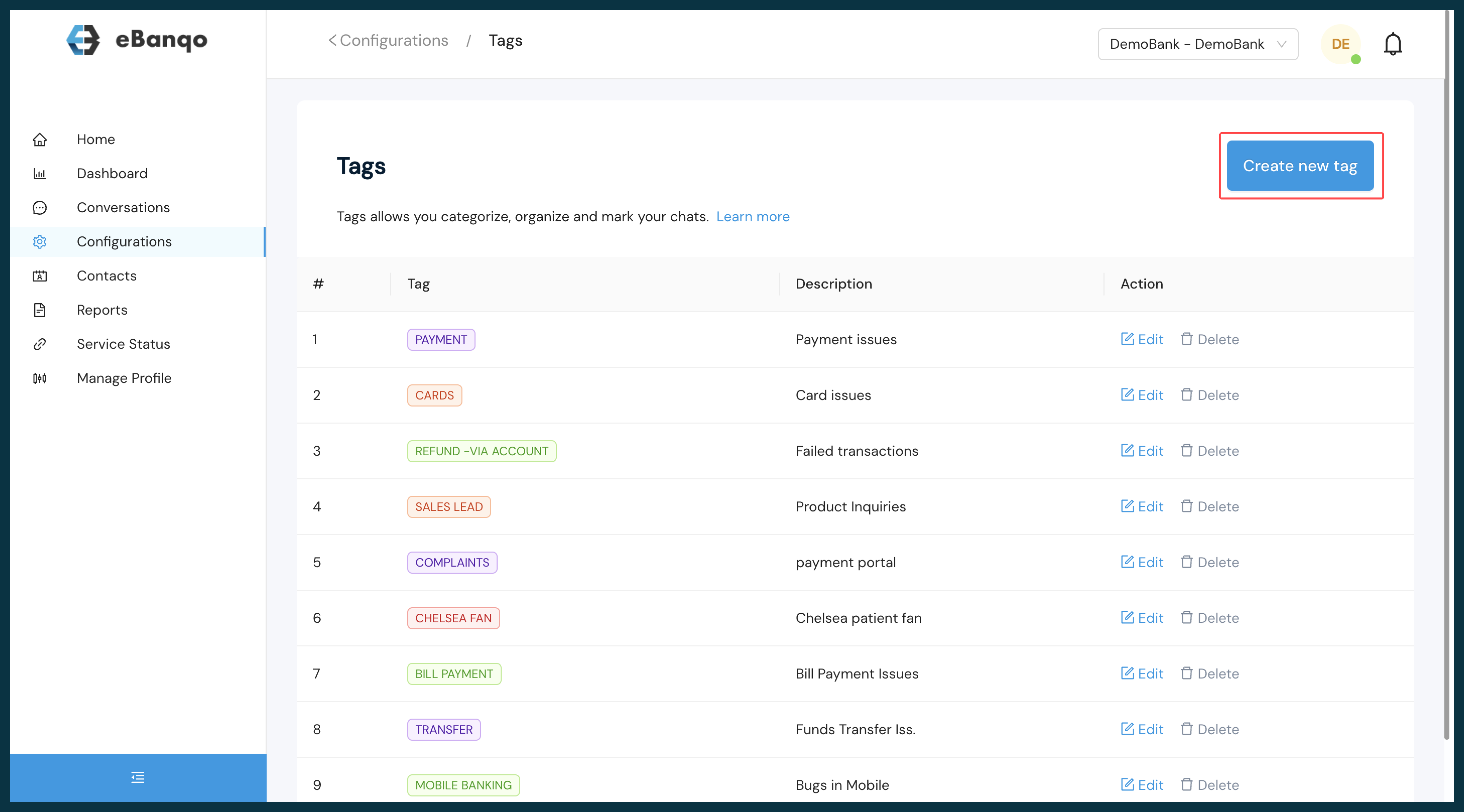
- Click on Create New Tags.
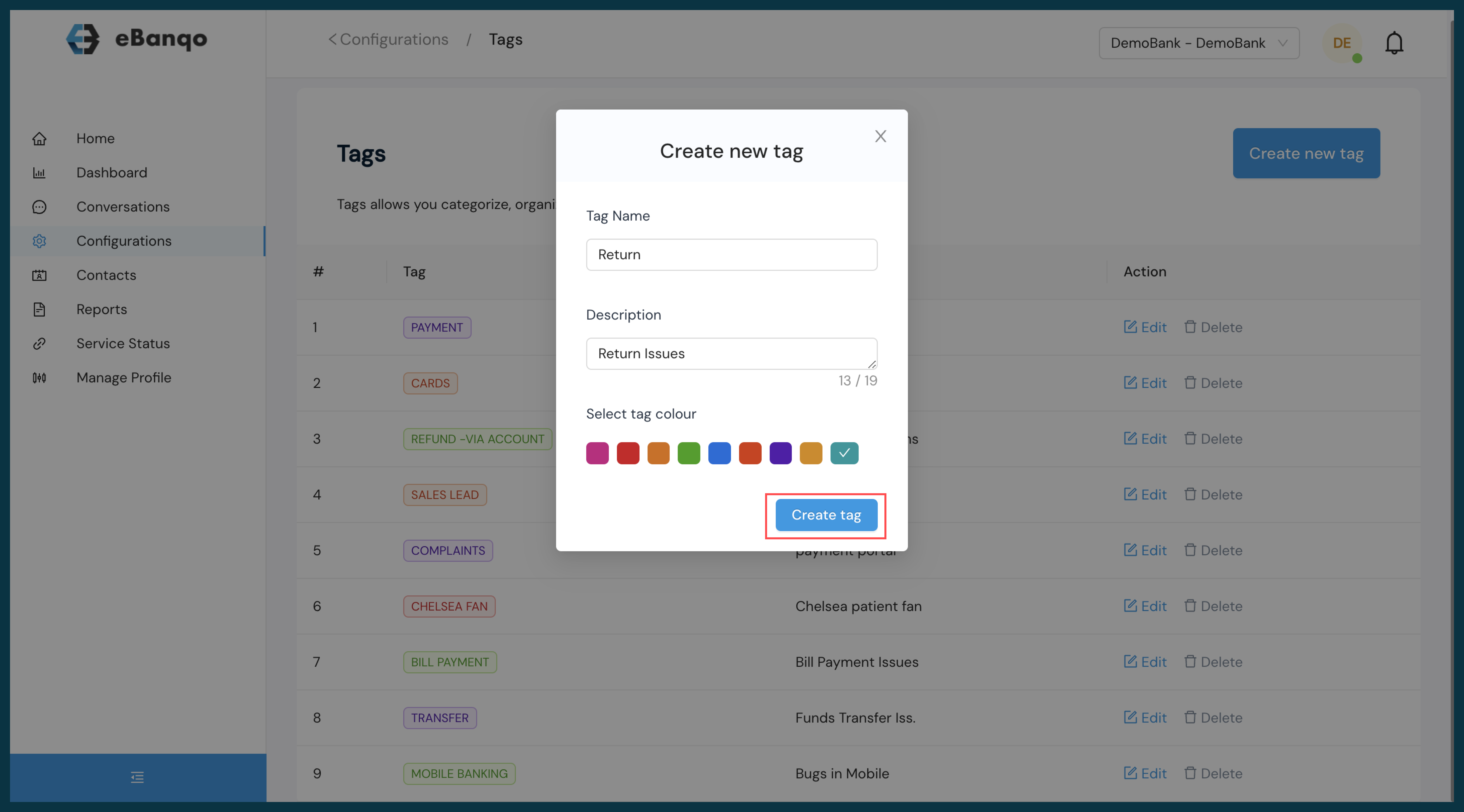
- Enter the preferred tag name and the detailed description, select the preferred color, and click Create.
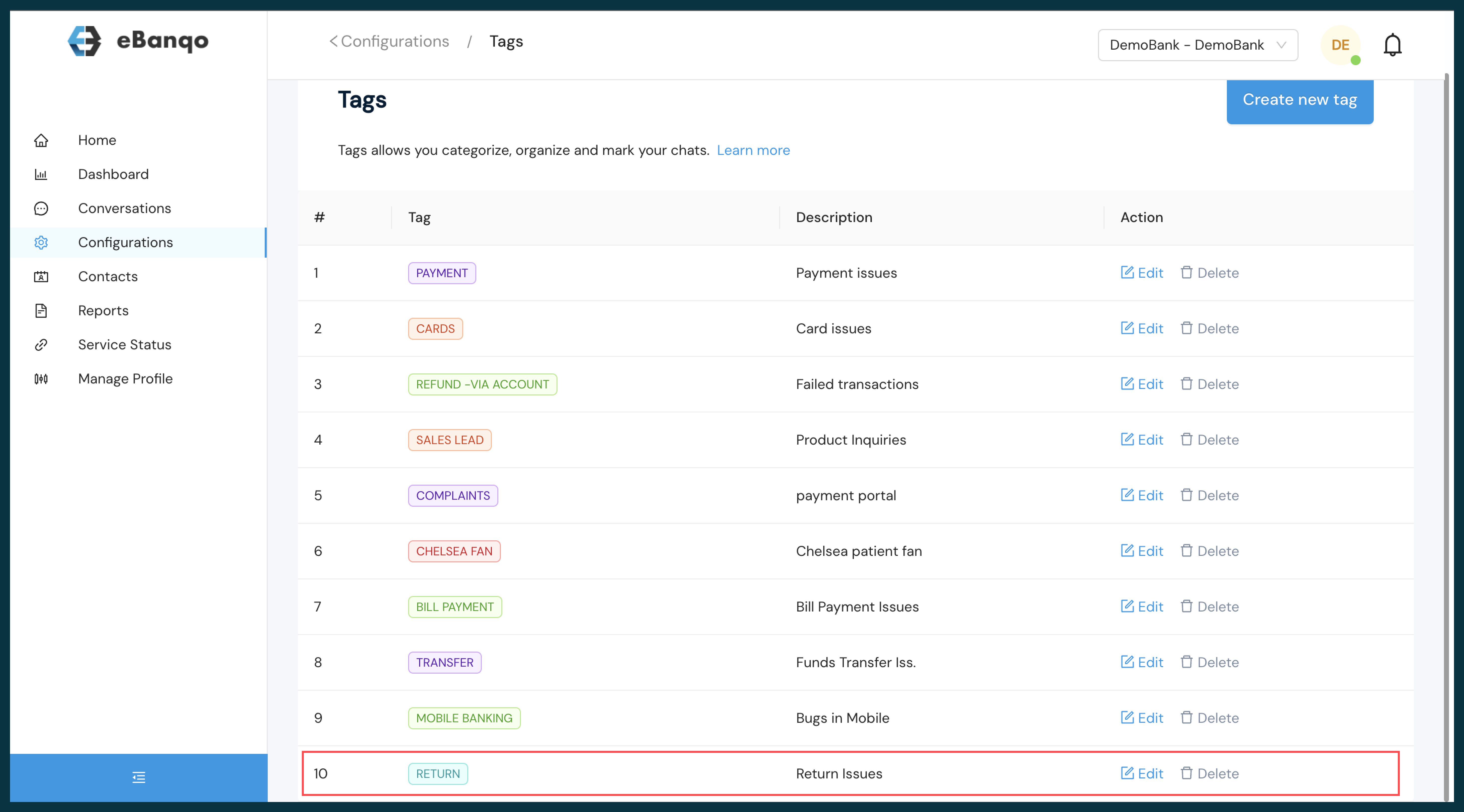
View the list of available tags.
How to Use Created Tags
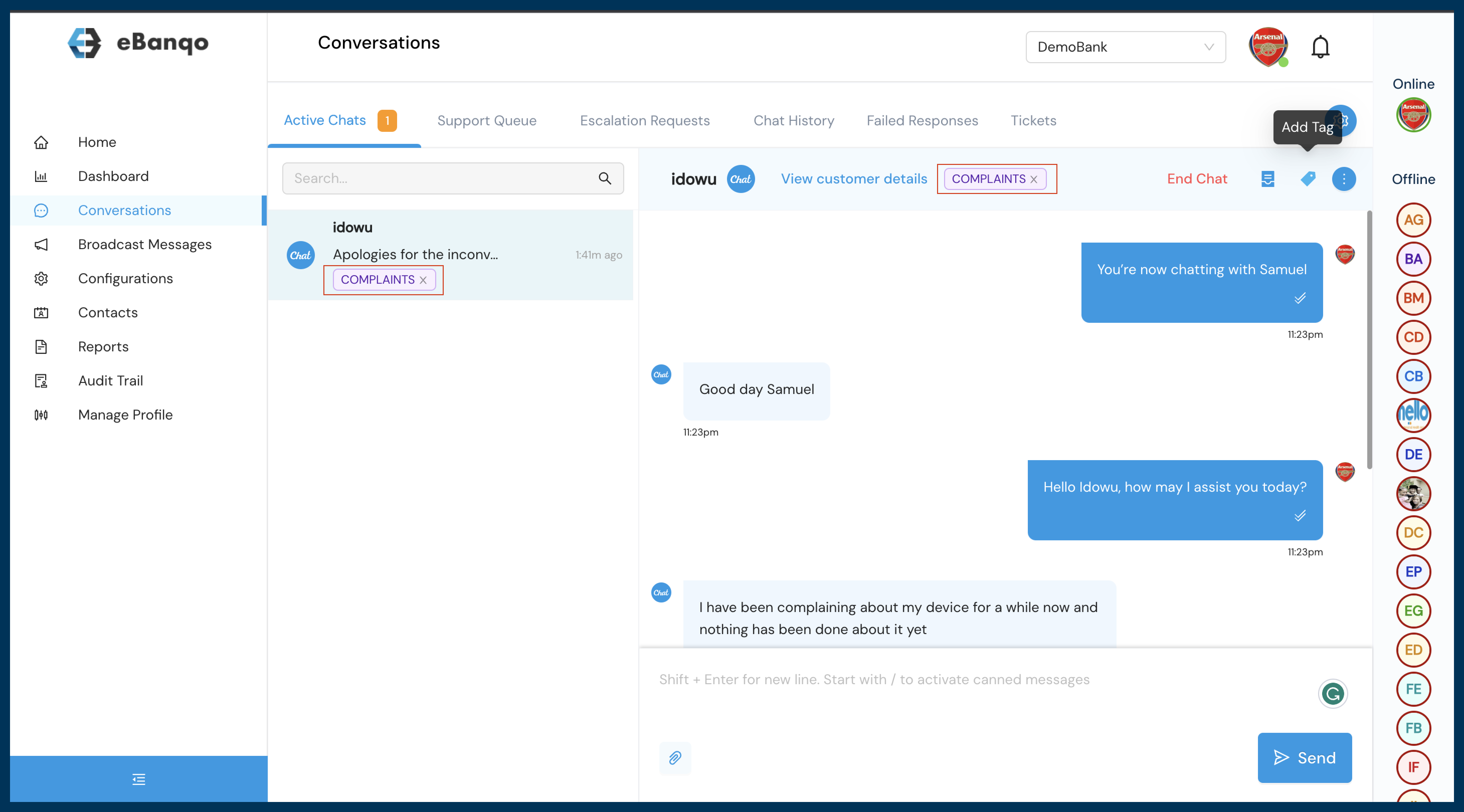
- During an ongoing conversation, an agent can select a tag to label the conversation appropriately, enabling easier reference later.
- For chat conversations that have been concluded, agents can label them using the following steps:
- Within the conversation, select Ticketing.
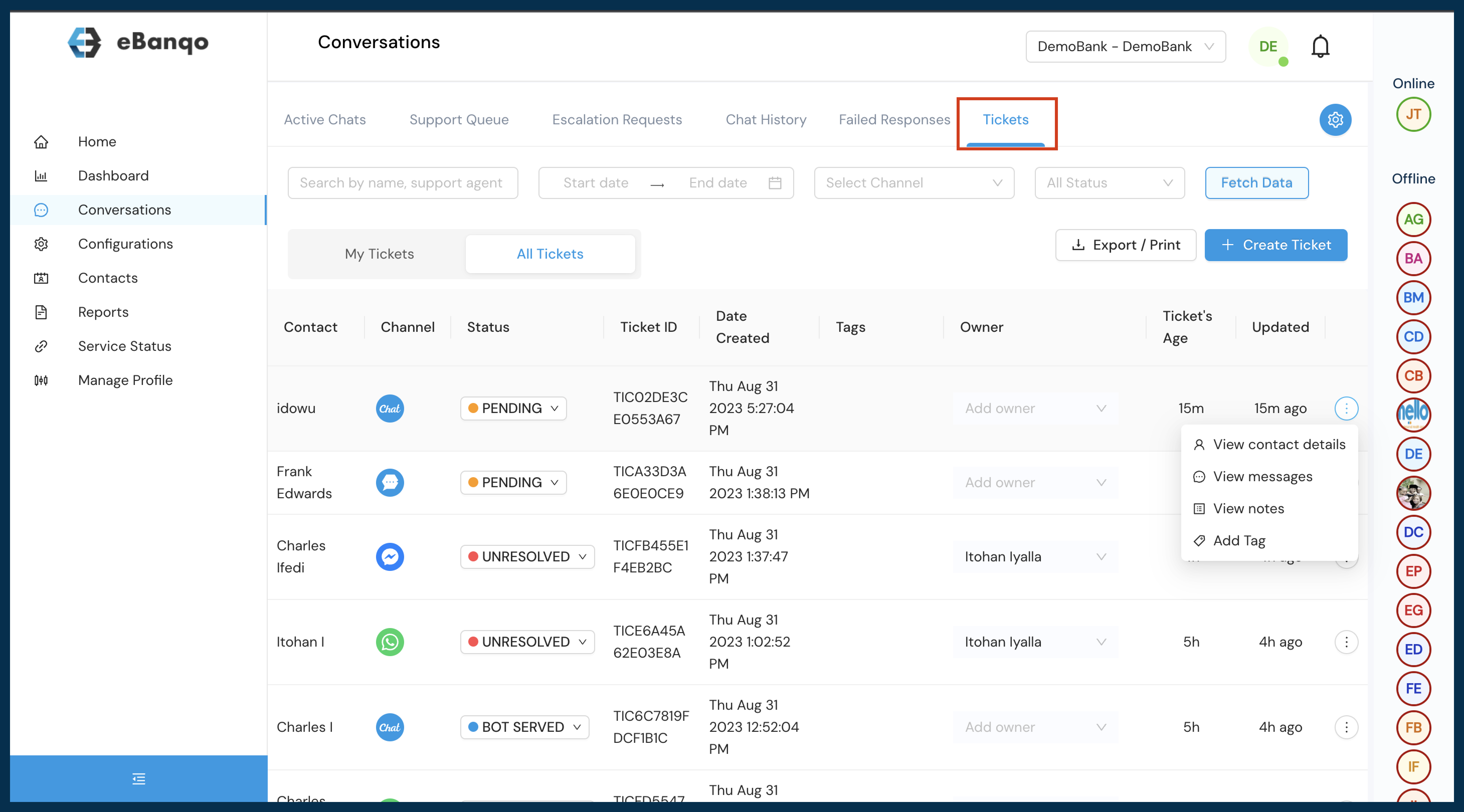
- Under ticketing, select the appropriate conversation and choose your preferred reference tag.
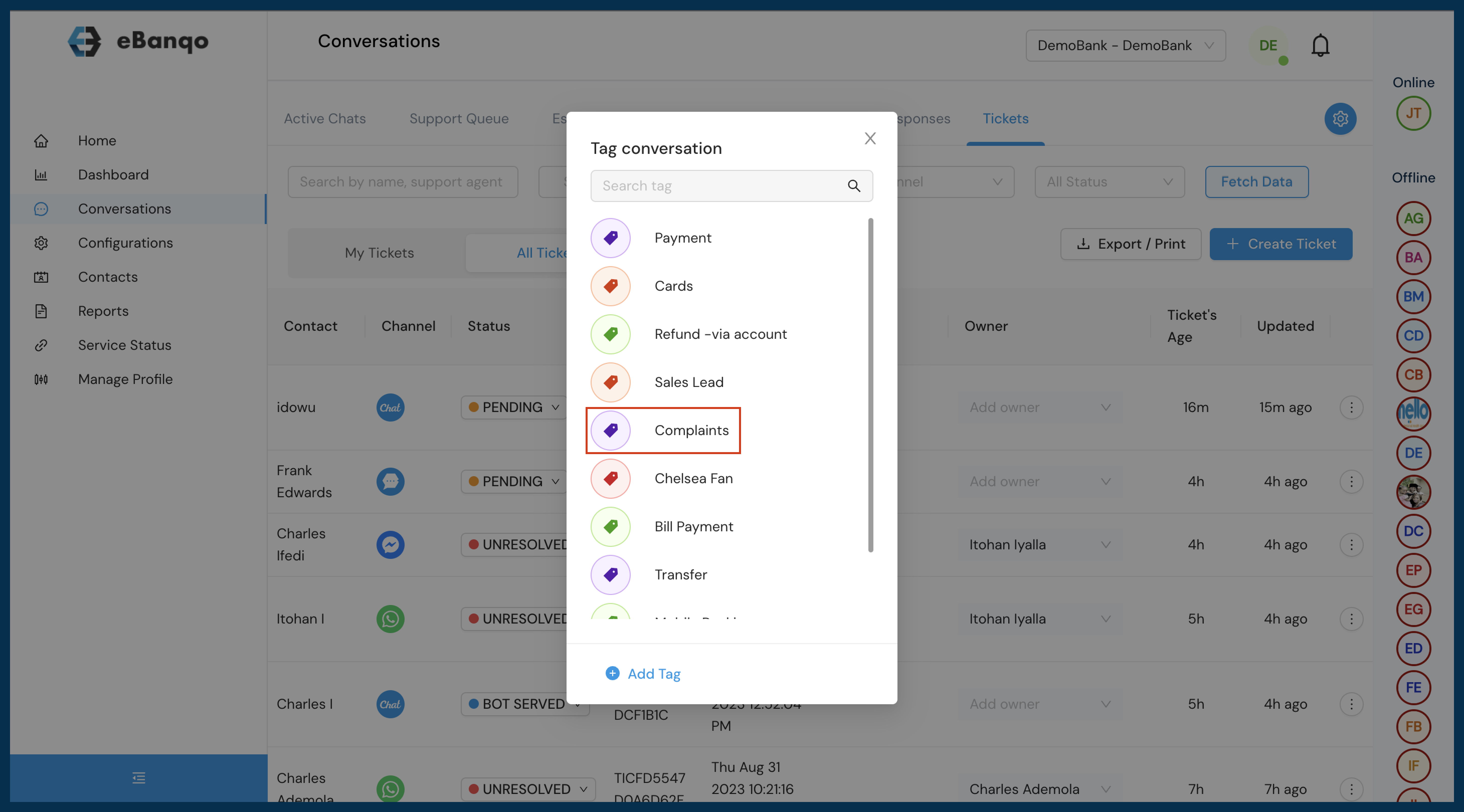
- Apply the tag to enable easier reference later.